BouncingBall8 Casino App: How to Play on Mobile in the Philippines
Ask around in any Filipino online gaming community and you’ll notice a pattern pretty quickly — almost nobody’s playing from a desktop anymore. It’s all phones. Jeepney rides, lunch breaks, that quiet hour after dinner before everyone goes to sleep. If you’re based in the Philippines and thinking about playing through your phone instead of a browser, here’s what that actually looks like in practice.
Why Mobile Makes Sense Here
The Philippines is one of the most mobile-first countries out there, full stop. A huge chunk of internet time happens on a phone, not a laptop, and that’s true for shopping, banking, messaging, all of it. Casino gaming follows the same pattern. It’s not really a trend anymore — it’s just how most people access these platforms now, and the bouncingball8 app is built with exactly that habit in mind.
Data costs and connection quality vary a lot depending on where you live, of course. Someone in Metro Manila with fiber-backed wifi is going to have a smoother time than someone relying on mobile data in a more rural area. Worth keeping that in mind before you jump into anything that streams live video, like live dealer tables.
Two Ways to Play: Browser or App
You’ve technically got options here. You can open the site directly in your phone’s browser, which works fine and needs zero installation — just log in and go. Or you can install the dedicated app, which trades a small setup step for a smoother day-to-day experience.
Browser play makes sense if you’re just testing things out or don’t want anything extra sitting on your phone. But if you know you’ll be playing regularly, the app tends to be worth the extra five minutes it takes to set up. Less loading, quicker logins, and you skip the browser occasionally deciding to refresh the page at the worst possible moment.
Setting Up the App on Your Phone
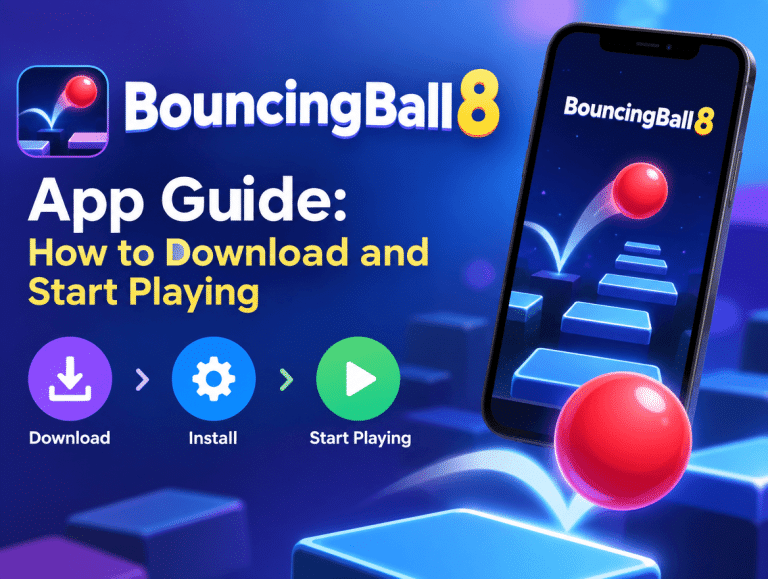
Since gambling apps generally aren’t distributed through the Play Store, you’ll be downloading the installer directly from the official site. On Android, this means allowing installs from outside the Play Store in your settings — a permission you can toggle off again once it’s done if you’d rather not leave it active. The process on iOS can look a little different depending on how things are set up on the platform’s end, so it’s best to just follow whatever steps are listed on the actual BouncingBall8 site rather than assuming it works the same as any other install.
A word of caution here: stick to the official download link. Group chats and random forum posts sometimes circulate “faster” or “modded” versions of casino apps, and those are a real security risk. It’s just not worth it for the sake of saving a minute or two.
What Playing on Mobile Actually Feels Like
Once you’re set up, everything from your desktop account — balance, game history, saved preferences — carries straight over. The layout adjusts for a smaller screen, obviously, with swipe navigation replacing a lot of the click-and-scroll you’d do on a computer.
Slots tend to run smoothly on mobile since they’re generally lighter to load. Table games and live dealer rooms work well too, provided your connection can keep up with streaming video, since a stuttering live feed is genuinely one of the more annoying things that can happen mid-game.
If sports betting is part of what you’re into, mobile actually has an edge here. Odds update quickly, and push notifications can flag line movement in real time — useful if you’re betting on a match that’s already underway rather than placing something ahead of time.
Payments That Actually Work for Filipino Players
This is arguably where mobile shines the most locally. GCash and PayMaya are already how most Filipinos move money day to day, so having them built into deposits and withdrawals through the bouncingball8 app just makes the whole process feel familiar instead of clunky. No need to deal with unfamiliar international payment gateways or long bank transfer wait times if you don’t want to.
Double-check minimum deposit and withdrawal amounts before committing funds, since these can shift depending on the payment method you pick.
Keeping Things in Check
Mobile access is convenient, no argument there, but that convenience cuts both ways. When the casino’s one tap away at all times, it’s a lot easier to lose track of how long you’ve been playing or how much you’ve spent. Setting a budget before you open the app — not after — makes a real difference. Same with time limits, if the platform offers them. If gaming ever starts feeling more compulsive than fun, stepping back and reaching out for support is always the right move, no hesitation needed.
Final Word
Playing through the BouncingBall8 Casino app on mobile fits pretty naturally into how most Filipinos already use their phones for everything else. Local payment support, a mobile-first design, and quick access make it a solid option if you’re already playing on desktop and want the same experience without being tied to a computer. Just install it from the official source, keep your spending in check, and enjoy it for what it is — entertainment, not a strategy.